MindWhisper
Open source · macOS only

Hold a key. Speak.
Your words appear at the cursor.

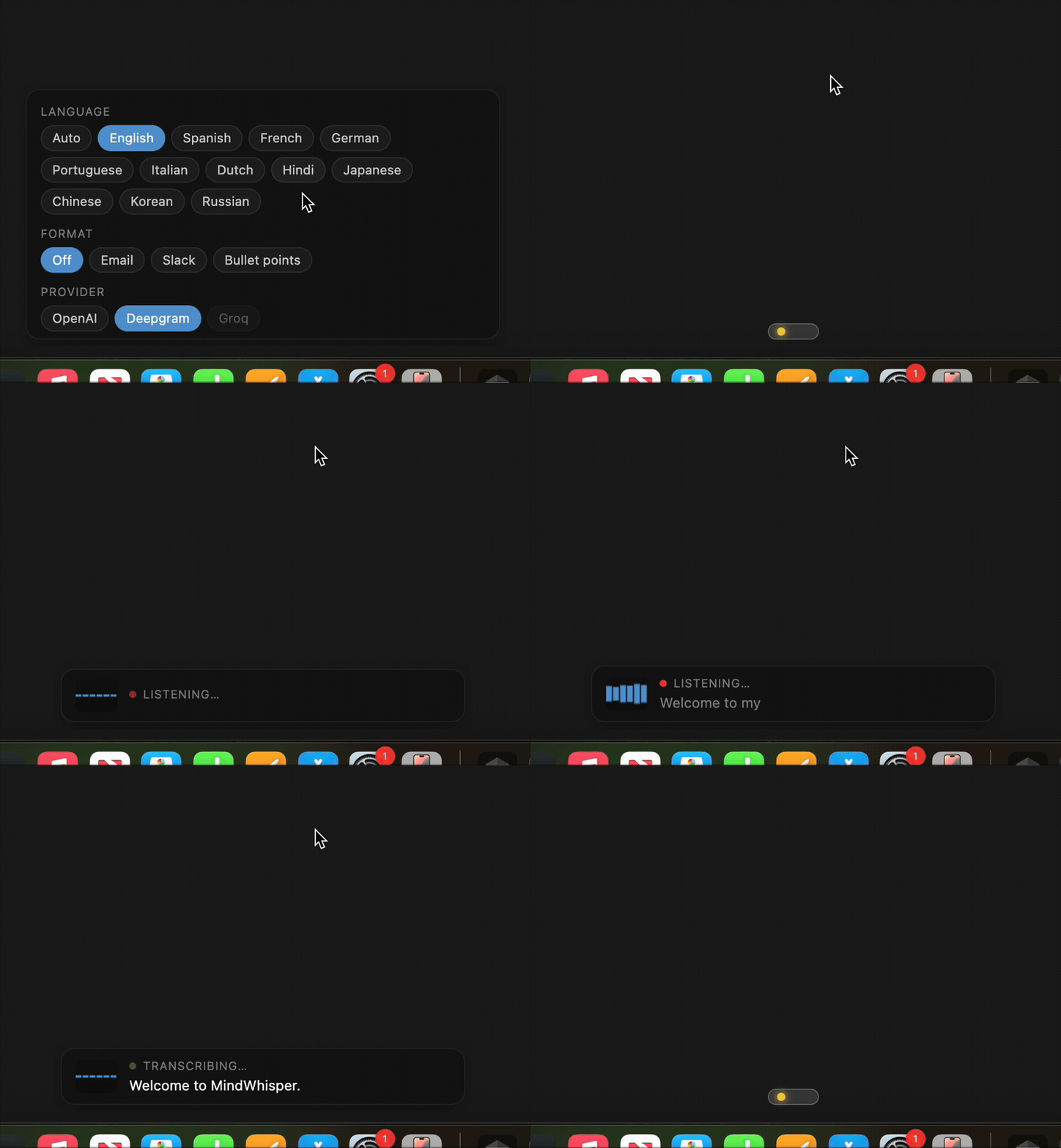
MindWhisper lives in your menu bar. Press your hotkey in any app, talk in your language, and the text appears right where your cursor is. A tiny bar at the bottom of the screen lets you switch language, formatting, and provider — no window required.

Download for Apple Silicon

Signed & notarized · macOS 11+ · Free, open source
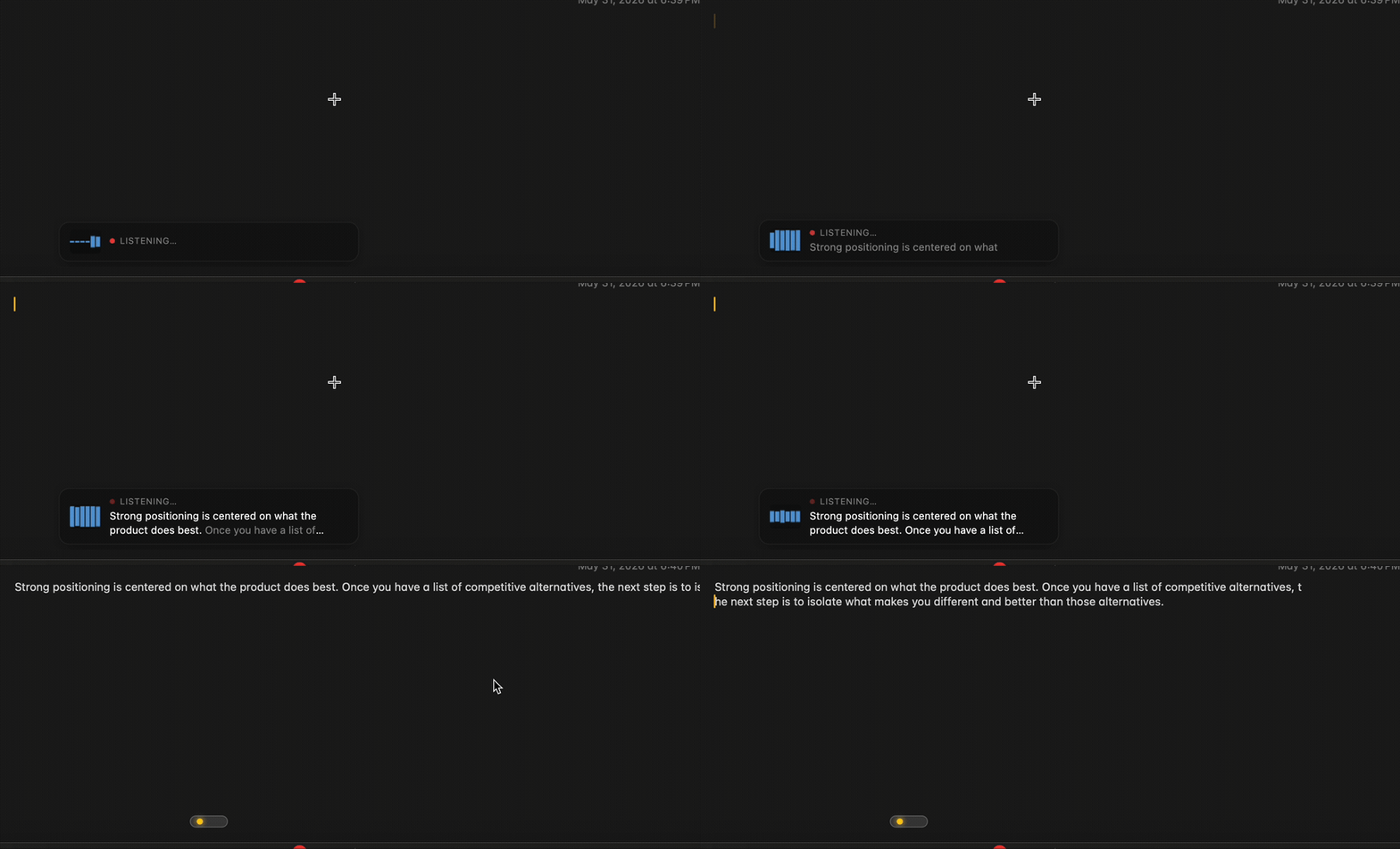
Product demo
hold to talk · release to paste
Take the tour

What you can do

Talk in any app, in your language. Here's the gist.

Dynamic island

A tiny bar that stays out of your way

A thin pill rests at the bottom of your screen. Hover it to switch your language, choose a formatting style, or change the transcription provider — then it tucks itself away again.

  • Hover to expand, move away to collapse
  • Never steals focus from the app you're typing in
  • Hide it entirely from the menu bar if you'd rather not see it
Dynamic island demo
Multilingual

Speak in the language you think in

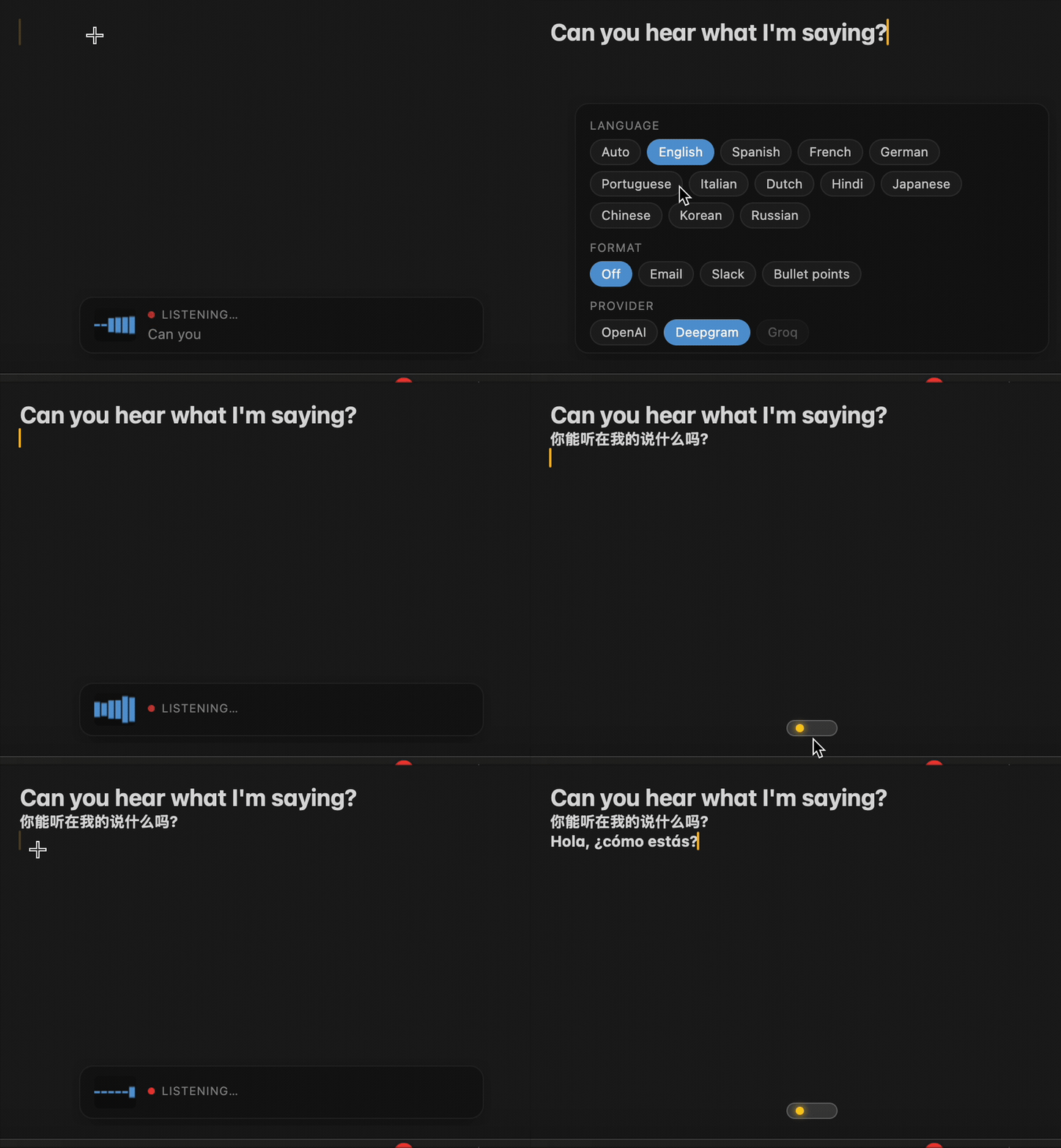
MindWhisper detects what you're speaking automatically — or lock it to a specific language for the cleanest results. No settings spelunking.

  • 12+ languages, plus auto-detect
  • Works across OpenAI, Deepgram, and Groq
  • Switch language in one click from the bar
Multilingual demo
Hold-to-talk

Press, speak, release — it's pasted

Hold your hotkey in any app, say what you mean, and let go. The text appears right where your cursor is. No window to open, no buttons to click.

  • Works everywhere on your Mac
  • Your previous clipboard is saved and restored
  • Rebind the key to whatever feels natural
Hold-to-talk demo
Formatter

Turn rambling speech into clean writing

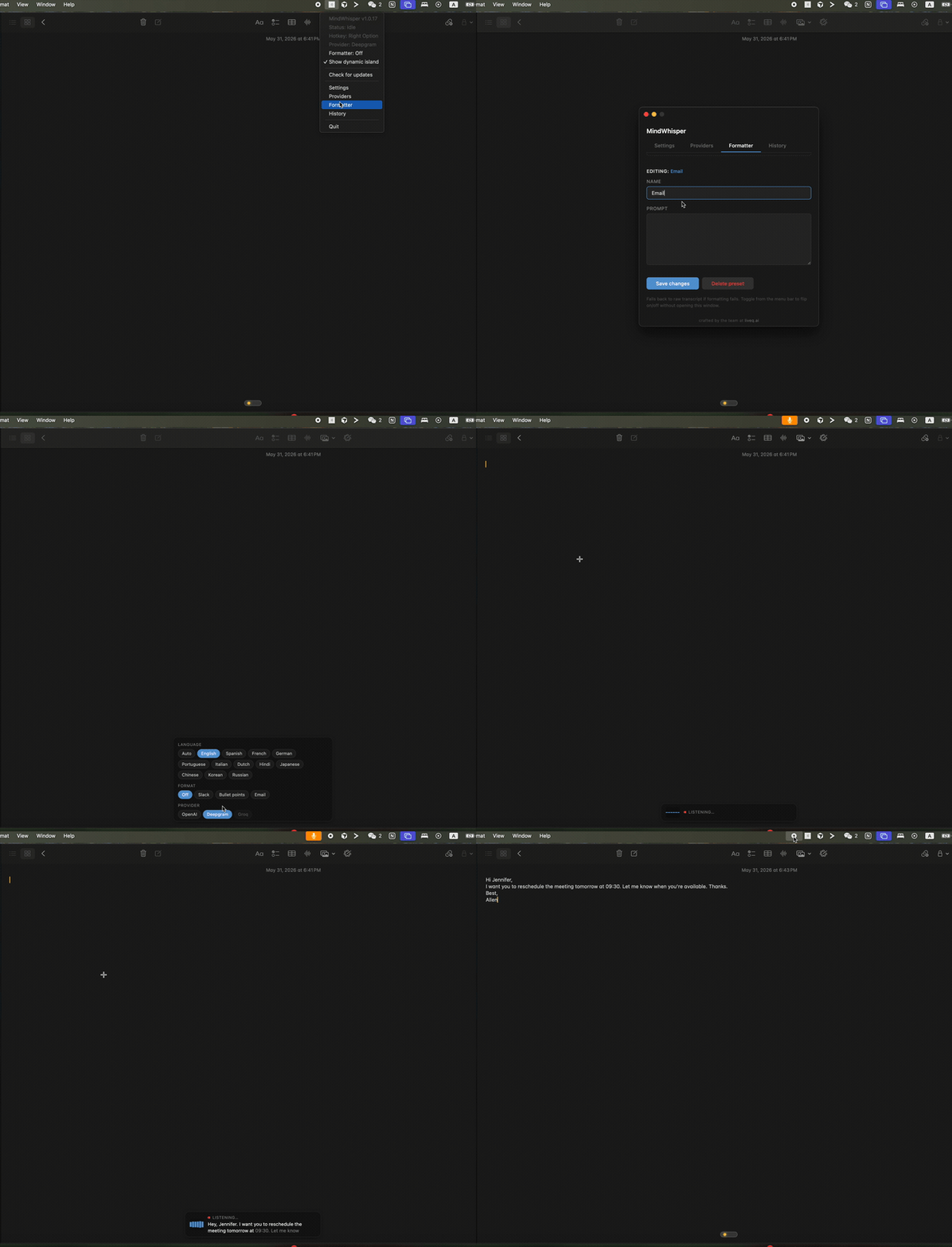
Pick Email, Slack, or bullet points — or write your own instructions — and your transcript is tidied up before it lands. Great for messages you'd otherwise rewrite.

  • Built-in Email / Slack / Bullets presets
  • Bring your own prompt
  • Toggle it on or off with a shortcut
Formatter demo
Features

Small app. Serious dictation.

The rest of what makes it pleasant to use every day.

Providers

Three engines, one click to switch

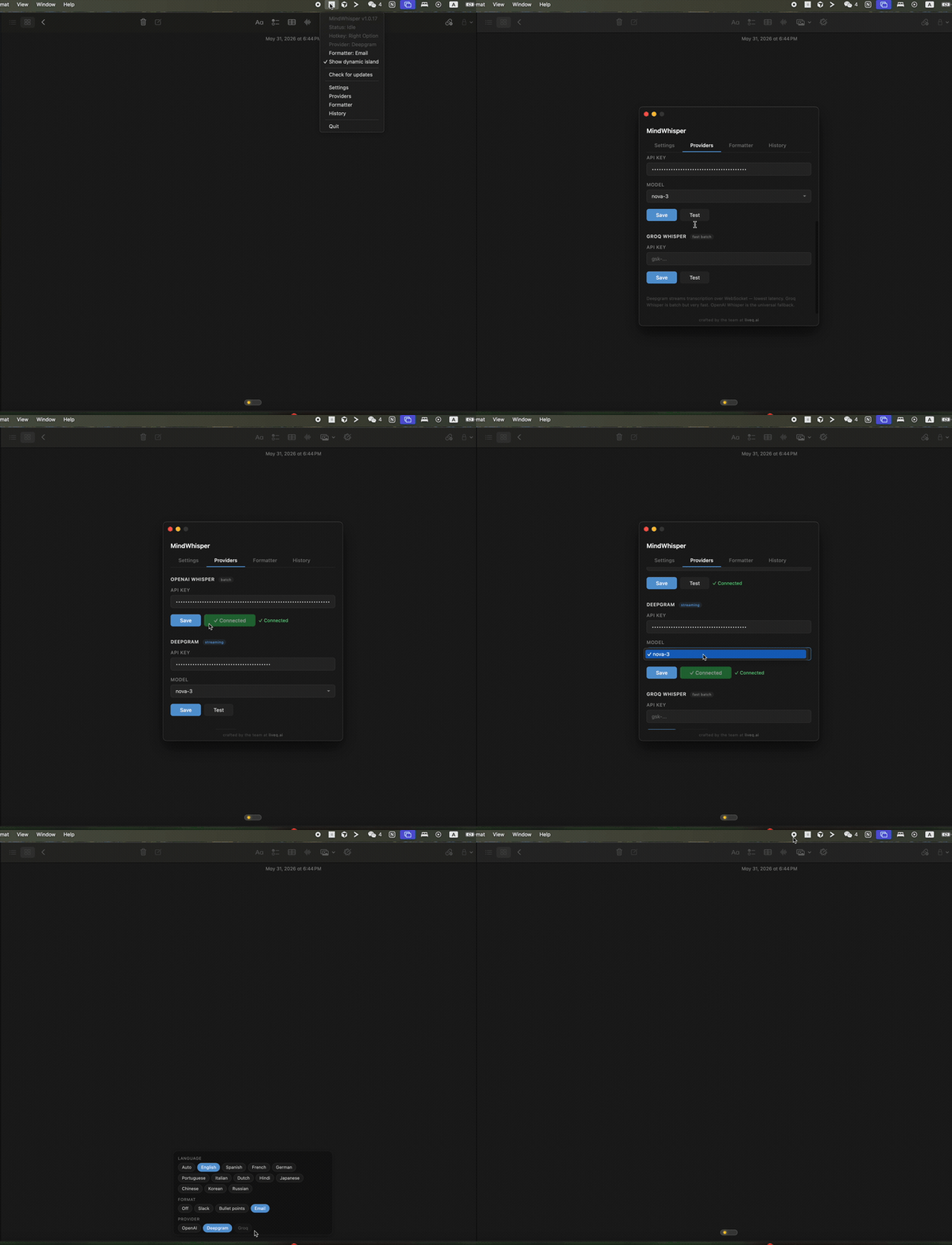
OpenAI, Deepgram (streams text as you talk), and Groq. Pick whichever fits the moment.

Privacy

Your data stays on your Mac

No accounts, no tracking. Settings and history live locally. Audio only ever goes to the provider you chose.

Clipboard-safe

Nothing gets lost

Whatever was on your clipboard is saved before pasting and put right back after. No surprises.

Hotkeys

Shortcuts that fit your hands

Rebind the talk key and the formatter shortcuts to anything you like. They work in every app.

Updates

Quietly stays current

Signed and notarized. New versions download in the background and install with one click.

Open source

Free and yours to inspect

MIT-licensed. Read the code, build it yourself, or just download it and go.

How it works

Three steps. No mouse.

Walkthrough
  1. 01

    Hold your hotkey

    Default is Right Option — rebindable to any key. Works globally in every app.

  2. 02

    Speak naturally

    The bar at the bottom shows a live audio meter — and live text as you talk on Deepgram. Switch language right there if you need to.

  3. 03

    Release — text appears

    Transcript is formatted by your active preset and pasted at the cursor. Your previous clipboard is restored automatically.

FAQ

Common questions

What macOS permissions does MindWhisper need?
Three: Microphone to record your voice, Accessibility so the global hotkey works in any app, and Automation (System Events) to send the paste keystroke. macOS will prompt for each on first launch.
Where does my audio go?
Audio is sent only to the transcription provider you choose — OpenAI, Deepgram, or Groq — using your own API key. MindWhisper itself has no server, no telemetry, no account system. Settings, presets, and history live on your Mac in ~/Library/Application Support.
Which providers can I use?
OpenAI Whisper (batch), Deepgram Nova-3 (WebSocket streaming, lowest latency), and Groq Whisper (very fast batch). You can configure one or all three and switch from the menu bar.
What does it cost?
The app is free and open source (MIT). You pay only the provider for what you transcribe — typically fractions of a cent per minute.
Apple Silicon or Intel?
Both. Signed and notarized DMGs are published for arm64 (Apple Silicon) and x64 (Intel). The download button above picks the right one for your Mac.